Why a Payment Page
Most payment links are ugly. A Venmo profile, a raw crypto address in a DM, or "invoice on request." None of that felt right for a portfolio that cares about design.
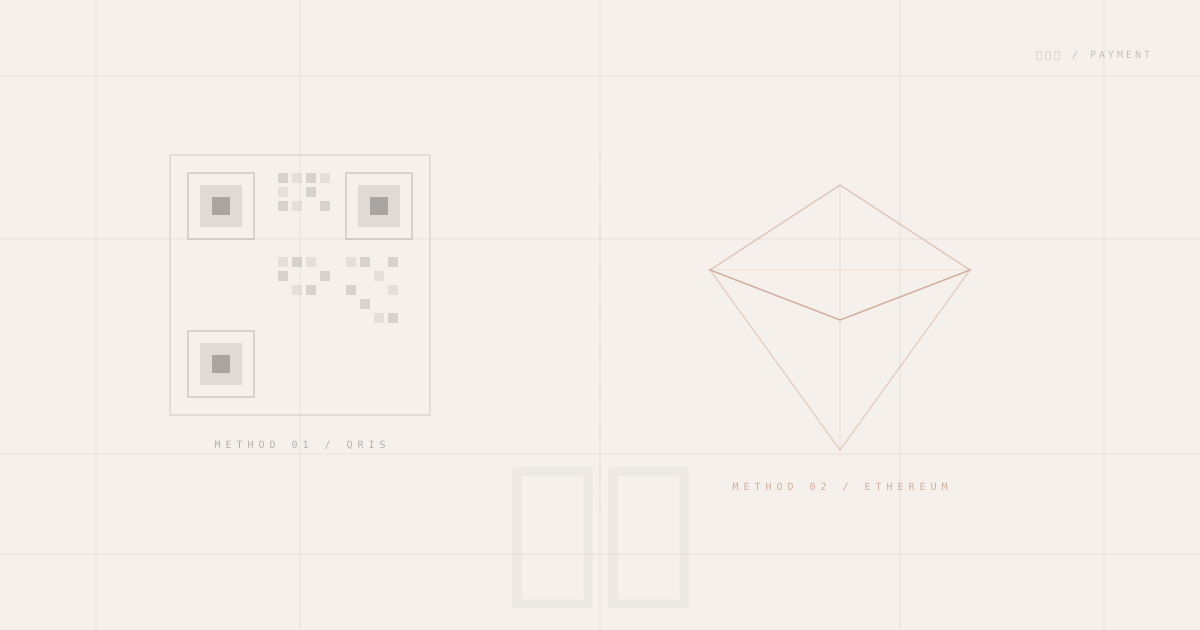
The 支払い page solves a specific problem: getting paid without friction, for two completely different contexts — local Indonesian bank transfers via QRIS, and international crypto payments via Ethereum mainnet.
Two Methods, One Page
The layout is a two-column card grid on desktop, stacked on mobile:
| Method | Channel | Use Case |
|---|---|---|
| QRIS | All Indonesian banks + e-wallets | Local freelance, friends |
| Ethereum | Mainnet | International, crypto-native |
Both cards share the same visual language — thin border-foreground/10 borders, micro-labels in Geist Mono, no decorative chrome that doesn't serve a function.
Method 01: QRIS
QRIS (Quick Response Indonesian Standard) is a unified QR payment system adopted across every Indonesian bank and digital wallet. One code, every app.
The Card
The QR code sits in a border-2 border-dashed border-foreground/15 frame with corner marker overlays — a reference to the alignment corners printed on physical QR codes. Three actions sit below:
- ZOOM — Opens a full-viewport modal with the QR enlarged to 320×320px for easy scanning
- SAVE QR — Downloads
/qris.pngdirectly, so the payer can screenshot or print - SEND RECEIPT — Opens a pre-composed
mailto:link
The Zoom Modal
The overlay uses fixed inset-0 z-[100] to sit above the navbar (z-50) and slide content (z-10), with bg-background/95 backdrop-blur-md for a focused feel:
{expanded && (
  <div
    className="fixed inset-0 z-[100] flex items-center justify-center bg-background/95 backdrop-blur-md"
    onClick={() => setExpanded(false)}
  >
    {/* click outside → dismiss */}
  </div>
)}
Tapping outside collapses the modal. No close button required — the overlay itself is the target.
Pre-Composed Receipt Email
The "SEND RECEIPT" button is a plain <a href="mailto:..."> with a URL-encoded subject and body already written:
mailto:rafif.zeon@gmail.com
  ?subject=Payment Receipt — QRIS
  &body=Hi Rafif,\n\nHere is my payment receipt for the QRIS transfer.\n\n[Attach screenshot]\n\nRegards,\n[Your name]
The payer's email client opens with everything pre-filled — they attach their screenshot and send. Zero copy-pasting on their end.
Method 02: Ethereum
The ETH card shows the Ethereum mainnet address alongside a minimal diamond SVG built from two <polygon> elements — the upper and lower halves of the classic ETH icon:
<polygon points="11,0 22,8 11,12 0,8" fill="none" stroke="currentColor" strokeWidth="1.2" />
<polygon points="11,12 22,8 11,24 0,8" fill="none" stroke="currentColor" strokeWidth="1.2" />
No external icon library. Two polygons, one icon.
CopyAddress
The address interaction is a client component that manages clipboard state:
async function copy() {
  await navigator.clipboard.writeText(address);
  setCopied(true);
  setTimeout(() => setCopied(false), 2000);
}
The address is truncated in the display (0x821E…1C64) so the card doesn't overflow at narrow widths, but the clipboard always receives the full 42-character address. A check icon swaps in for 2 seconds as confirmation.
Network Badge
A small dot + "Ethereum Mainnet" label below the card header is a gentle reminder to verify the network before sending. On a page this minimal, one line of text can prevent an expensive wrong-network mistake.
Market Pulse at the Bottom
A CryptoTicker strip runs below the two cards, showing live prices for BTC, ETH, SOL, and the rest of the watchlist. The intent is practical — if someone is about to send ETH, they should be able to see the current rate without leaving the page.
BTC $84,230 +1.2% ETH $2,411 -0.4% SOL $132 +3.1% …
The ticker polls /api/crypto (a server-side CoinGecko proxy) every 60 seconds. Rate-limited responses show a stale · retry in Xs indicator instead of blanking — stale prices are more useful than nothing.
A "Full view →" link routes to /market for the complete watchlist with sparklines, market cap, and global market data.
Design Details
The page uses the same Japanese Brutalist system as the rest of the portfolio:
支払いas the<h1>— the kanji carries the semantic weight- Vertical
支払at the left edge inwriting-vertical text-foreground/10— structural, not content - Top-right annotation
支払い / Paymentintext-[9px] font-mono— the translation, quietly in the corner force-staticexport — no server-side data, no hydration overhead
The result is a page that feels like part of the same system, not a bolt-on afterthought.