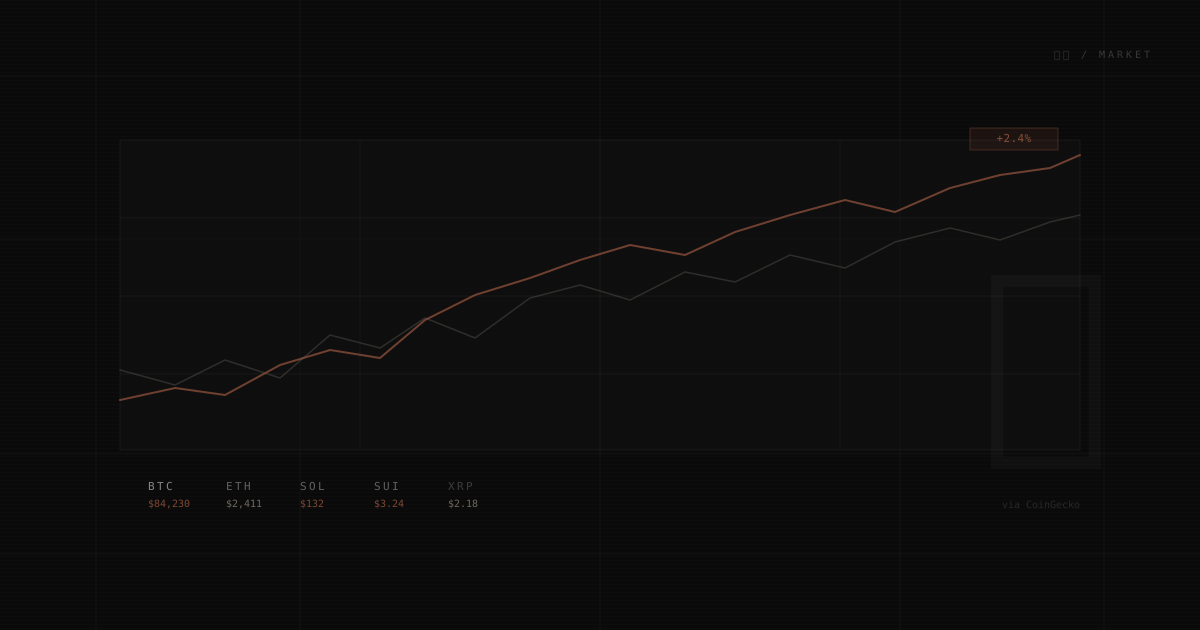
Why a Market Page on a Portfolio
The short answer: I check crypto prices daily anyway. The slightly longer one: my interest in Web3 (the ArtChain project, the Ethereum payment address) made a watchlist feel like authentic context rather than filler.
The 市場 page is a personal watchlist — 10 coins I follow, live prices via CoinGecko, and a few extra data points that make it more useful than just a price list: market cap, volume, ATH delta, and 7-day sparklines.
Architecture: API Route as Proxy
CoinGecko's public API has two problems when called directly from the browser:
- CORS — The free tier doesn't allow browser-origin requests on all endpoints
- Key exposure — Even a free API key shouldn't be in client-side code
The solution is a Next.js API route at /api/crypto that proxies the CoinGecko request server-side:
Browser → /api/crypto (Next.js) → CoinGecko API
The route fetches from /coins/markets with sparkline=true and price_change_percentage=24h, then reshapes the response from CoinGecko's array format into a map keyed by coin ID:
// CoinGecko returns: [{ id: "bitcoin", current_price: 84230, ... }]
// We transform to:  { bitcoin: { usd: 84230, ... } }
const map: Partial<Record<CoinId, PriceData>> = {};
for (const coin of raw) {
  map[coin.id as CoinId] = {
    usd: coin.current_price ?? 0,
    usd_24h_change: coin.price_change_percentage_24h ?? 0,
    // …
  };
}
Client-side lookups become O(1) object access instead of O(n) array scans.
Demo vs Pro Key
The route checks for two environment variables:
const BASE = PRO_KEY
  ? "https://pro-api.coingecko.com/api/v3"
  : "https://api.coingecko.com/api/v3";
If a Pro key is set, it hits the Pro endpoint (higher rate limits). Otherwise it falls back to the free public API. The key is injected via request headers — never exposed to the browser.
Sparklines: 168 Points → SVG Polyline
CoinGecko's sparkline data returns up to 168 hourly price points (7 days). Rendering all 168 as an SVG path is unnecessary — at card width, the visual difference from ~56 points is imperceptible.
The component downsamples by taking every Nth value:
const step = Math.max(1, Math.floor(prices.length / 56));
const pts = prices.filter((_, i) => i % step === 0);
Then each point maps to an SVG coordinate inside a fixed 100×28 viewBox, normalized to the price range:
const min = Math.min(...pts);
const max = Math.max(...pts);
const range = max - min || 1;

const points = pts.map((p, i) => {
  const x = ((i / (pts.length - 1)) * 100).toFixed(1);
  const y = (28 - ((p - min) / range) * 28).toFixed(1);
  return `${x},${y}`;
}).join(" ");
preserveAspectRatio="none" lets the SVG stretch to any card width. Color follows the design system: text-accent-primary/50 (terracotta) for positive 24h change, text-muted/30 for negative — no green/red traffic lights.
Rate Limit Handling
The CoinGecko free tier is generous but finite. On heavy traffic days, it returns 429 Too Many Requests with a Retry-After header.
Strategy: Stale Data + Countdown
The core principle: never go blank. When rate-limited, show last known prices at reduced opacity with a live countdown to when the next fetch is allowed.
type FetchResult =
  | { ok: true; data: PriceMap }
  | { ok: false; rateLimited: true; retryAfter: number }
  | { ok: false; rateLimited: false };
The three-way discriminated union keeps the calling code unambiguous — "rate limited" and "generic error" are handled separately. Rate-limited state preserves existing prices; generic errors also preserve prices rather than wiping them.
The countdown runs in a setInterval that decrements state each second:
function startCountdown(seconds: number) {
  setRetryIn(seconds);
  countdownRef.current = setInterval(() => {
    setRetryIn((s) => {
      if (s <= 1) { clearInterval(countdownRef.current!); return 0; }
      return s - 1;
    });
  }, 1000);
}
The interval ID lives in a ref so it clears on unmount — avoiding the "update on unmounted component" warning.
Coin Grid
10 coins, responsive layout:
mobile:  2 columns
md:      3 columns
lg:      4 columns
Each card shows:
- Index + market cap rank —
01 #1in muted mono - 24h change badge — terracotta for positive, muted for negative
- Price — large mono font, right-aligned
- 7-day sparkline — SVG polyline
- Symbol + name —
BTC Bitcoin - Market cap, volume, ATH delta — three compact figures below a divider
The ATH delta deserves a note: if a coin is within 5% of its all-time high, it renders in terracotta. Not a signal to act — just a data point that reads differently at different market conditions.
Global Market Bar
Above the coin grid, GlobalMarketBar shows macro context from CoinGecko's /global endpoint: total crypto market cap, 24h volume, BTC dominance, ETH dominance, and active coin count.
This frames the individual prices. A 2% BTC drop reads differently when total market is down 3% versus up 5%.
Trending Coins
A separate TrendingCoins section at the bottom pulls CoinGecko's trending list — coins with the most search volume in the last 24 hours. This is a different signal from price performance: high search volume often precedes price movement, or reflects current narrative cycles.
Auto-Refresh
Prices update every 60 seconds via setInterval. The load function is wrapped in useCallback so the interval always calls the same stable reference — avoiding the stale closure issue where an interval captures an outdated function version.
const load = useCallback(async (manual = false) => {
  if (manual) setRefreshing(true);
  const result = await fetchPrices();
  // …
}, []);

useEffect(() => {
  load();
  const id = setInterval(() => load(), 60_000);
  return () => clearInterval(id);
}, [load]);
A manual refresh button (disabled during active fetches and while rate-limited) lets users force an immediate update.
Design
The page uses 市場 ("market") as the <h1> with 相場 ("market price/rate") as the vertical annotation on the left edge. Top-right: 市場 / Market — the English translation, where all page annotations live.
The coin cards use border-foreground/8 at rest, stepping to border-foreground/15 on hover. No color changes. No shadows. The border weight is the only signal — consistent with every interactive surface in the design system.
Corner bracket accents (border-b border-r border-foreground/8) mark the bottom-right of each card — the same geometric detail that appears on project cards in the planetarium.