The Problem
Every time I need to match a brand — a client's site, a design reference, a product I'm building alongside — I end up doing the same manual work: open DevTools, hunt for font stacks, sample colors from screenshots, guess at spacing rhythm, try to identify which animation library they're running. It takes an hour and produces a pile of notes that doesn't port anywhere useful.
The irony is that all of this information is already in the DOM, the CSS, the canvas calls, the network requests. It just needs to be read systematically.
extract-design is a Claude Code plugin that does the reading for you.
What It Produces
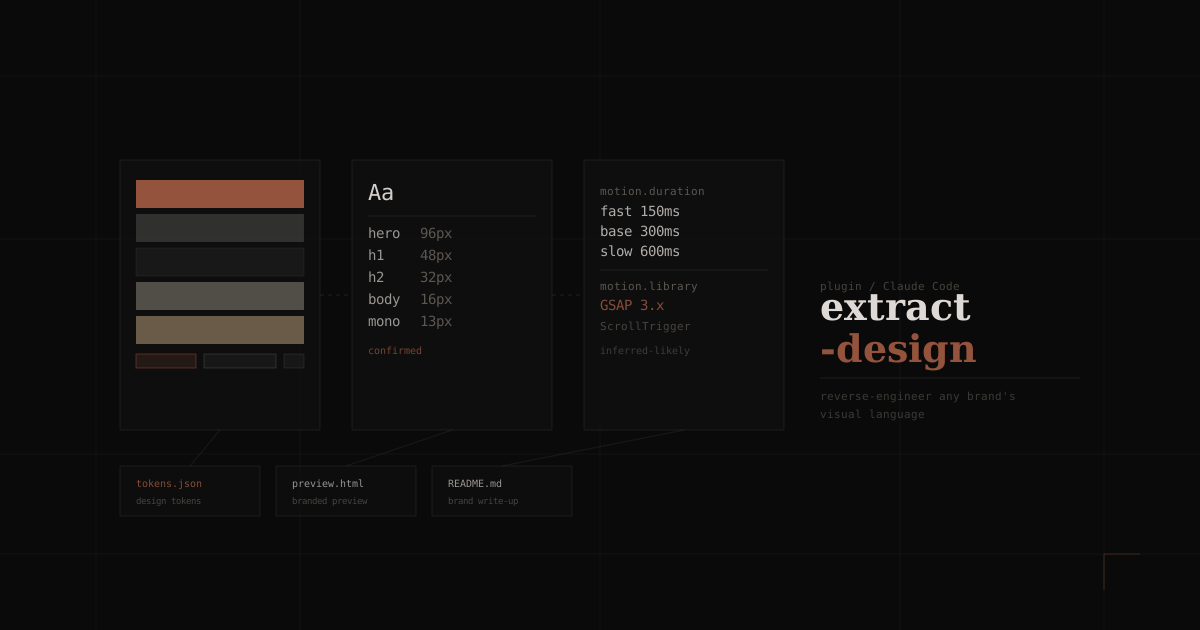
Every extraction outputs exactly three files — no more, no less:
{output-dir}/
├── tokens.json     ← machine-readable design tokens
├── preview.html    ← self-contained one-pager in the source brand's aesthetic
└── README.md       ← brand identity write-up + self-audit gaps
The tokens.json covers color palettes, typography scale, spacing rhythm, border/radius/shadow tiers, motion tokens (duration, easing, named patterns), and custom implementations like Canvas or WebGL.
The preview.html is styled in the source brand's aesthetic — not a generic spec sheet. If the brand is dark and minimal, the preview is dark and minimal. This makes it usable as a sanity check without opening the original site.
The README.md is a written brand identity document: voice, principles, photography treatment, motion character, and gaps the tool couldn't confirm.
Confidence Flags: The Key Constraint
The single most important design decision was refusing to silently guess.
Every token in tokens.json carries one of three confidence levels:
| Flag | Meaning |
|---|---|
confirmed | Read directly from CSS variables, computed styles, or source files |
inferred-likely | Derived from consistent visual patterns with high probability |
inferred | Visually approximated — treat as a starting point, not a source of truth |
Without this, the output would be misleading. A tool that confidently gives you #1a1a1a when it actually sampled a JPEG artifact is worse than no tool at all. The flags let you trust what's trustworthy and flag what needs verification.
The Seven-Phase Workflow
The extraction runs through a fixed sequence — each phase feeds the next:
1. Reconnaissance — HTTP headers, meta tags, manifest, linked stylesheets, script sources, and font loading strategy. The goal is to build a map of what's knowable before touching the visual layer.
2. Token Extraction — CSS custom properties, @font-face declarations, computed property sampling across representative elements. Color, type, space, and radius.
3. Atom Identification — The smallest reusable units: buttons, inputs, badges, dividers. Each atom is documented with its full token set.
4. Component Anatomy — Composite components assembled from atoms. Headers, cards, navbars. Every sub-element is named with tokens and relationships — not just "the card has a shadow" but which shadow token, applied where, at what breakpoint.
5. Motion & Custom Implementations — Library detection (GSAP, Framer Motion, Lottie, native Web Animations, CSS transitions). Duration and easing tokens. Canvas and WebGL implementations documented with their driving variables and a reconstruction strategy.
6. Brand Synthesis — Voice and tone. Photography and illustration treatment. The underlying principles that explain why the visual choices cohere.
7. Self-Audit — A mandatory gap analysis. What couldn't be extracted? What was inferred under uncertainty? What needs manual verification? This section exists precisely because tools that don't report their own failures are dangerous.
Building It as a Plugin
The plugin architecture came from a constraint I wanted to enforce: the workflow had to be portable. Instead of a bespoke CLI, I wanted anyone with Claude Code to be able to run it against any URL or screenshot with one line.
Extract the design system from https://stripe.com
Document the brand of this screenshot: [attach image]
Build a style guide from this Figma file: [paste URL]
The plugin is installed via the Claude Code marketplace:
/plugin marketplace add zeon-kun/extract-design
/plugin install extract-design@extract-design
Under the hood, the plugin defines a skill with a strict output contract. Claude Code executes the seven phases and writes all three files. The validate.sh script checks JSON syntax, SKILL.md frontmatter, and HTML well-formedness — so the output is always machine-readable.
Non-Negotiables
A few rules are hard-coded into the plugin's behavior:
- Component anatomy is exhaustive. Every sub-element, not just top-level components.
- Motion is always attempted. Library detection is not optional — an undocumented animation library is an undocumented constraint on every future developer touching that brand.
- All three files are always produced. Even if you only ask for tokens, you get the preview and README. Partial extractions create partial mental models.
- No silent guessing. If a value can't be confirmed, it gets an
inferredflag. A wrong confident answer is a bug. An honest uncertain answer is just a flag.
What's Next
The current extraction relies on static analysis — what's in the DOM and CSS at load time. The next meaningful improvement is a dynamic layer: recording scroll events, hover states, and interaction animations that only exist in response to user input.
Motion in particular is underextracted. Most branded animation happens in response to events, not on load. A headless browser that can simulate interactions would unlock a much richer motion token set.
The other gap is design token naming. I can extract #1a1a1a as a foreground color, but whether a brand calls it --color-ink-primary or --fg or $text-dark — that naming convention is part of the brand system too. Extracting intent, not just value.